
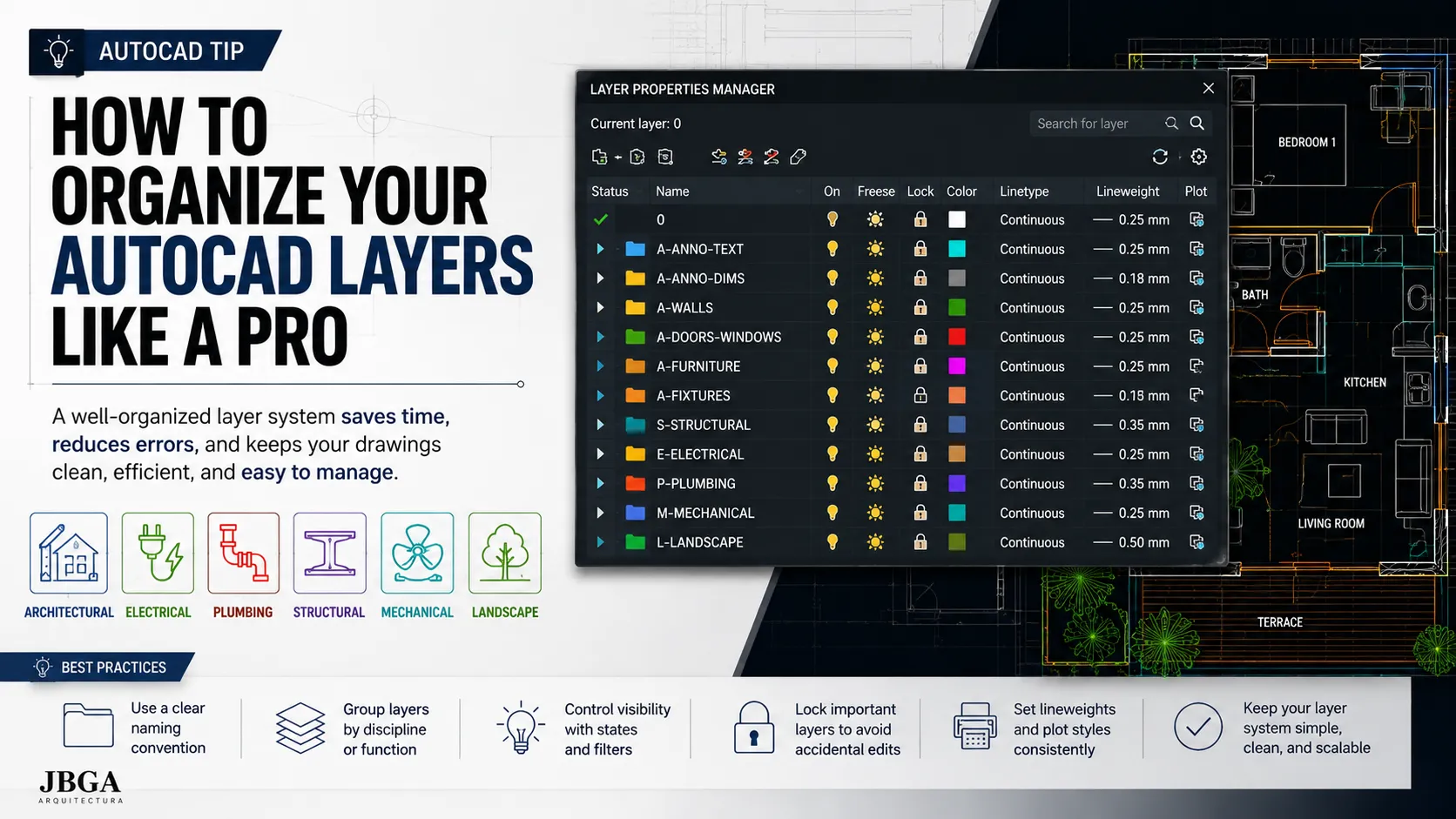
One of the easiest ways to improve your AutoCAD workflow is to establish better AutoCAD layer organization from the beginning.
Layers are one of the most important organizational tools in AutoCAD. A drawing with poorly organized layers can quickly become difficult to manage, especially as a project grows.
Instead of creating layers randomly as you need them, establish a logical layer structure from the beginning.
Use consistent layer names
Create a naming system that makes the purpose of each layer immediately recognizable.
For example:A-WALL — Architectural walls
- A-DOOR — Doors
- A-WIND — Windows
- A-FURN — Furniture
- A-DIMS — Dimensions
- A-TEXT — General architectural text
- A-HATCH — Hatches
- A-ANNO — Annotations
A consistent naming system makes it much easier to find, freeze, isolate, or modify specific elements later.
Improve AutoCAD Layer Organization by Discipline or Function
For larger projects, consider separating architectural, structural, electrical, plumbing, and other information into logical layer groups.
This becomes especially useful when working with consultants or when a drawing contains hundreds of layers.
Use colors and linetypes intentionally
Good AutoCAD layer also depends on using layer colors intentionally.
Similarly, different linetypes can communicate important information such as:
- Hidden elements
- Centerlines
- Property lines
- Overhead elements
- Existing conditions
- Demolition
Take advantage of Layer States
Layer States allow you to save specific combinations of layer visibility, color, linetype, and other properties.
For example, you could create Layer States for:
- Floor Plans
- Reflected Ceiling Plans
- Furniture Plans
- Presentation Drawings
- Construction Documents
Instead of manually changing dozens of layers every time, you can restore the appropriate configuration in seconds.
The goal is simple: your layers should help you work faster, not force you to spend time searching through your drawing.
A better layer system starts with a better template.
Keep your drawings organized from the very beginning with preconfigured layers and professional drafting standards.