
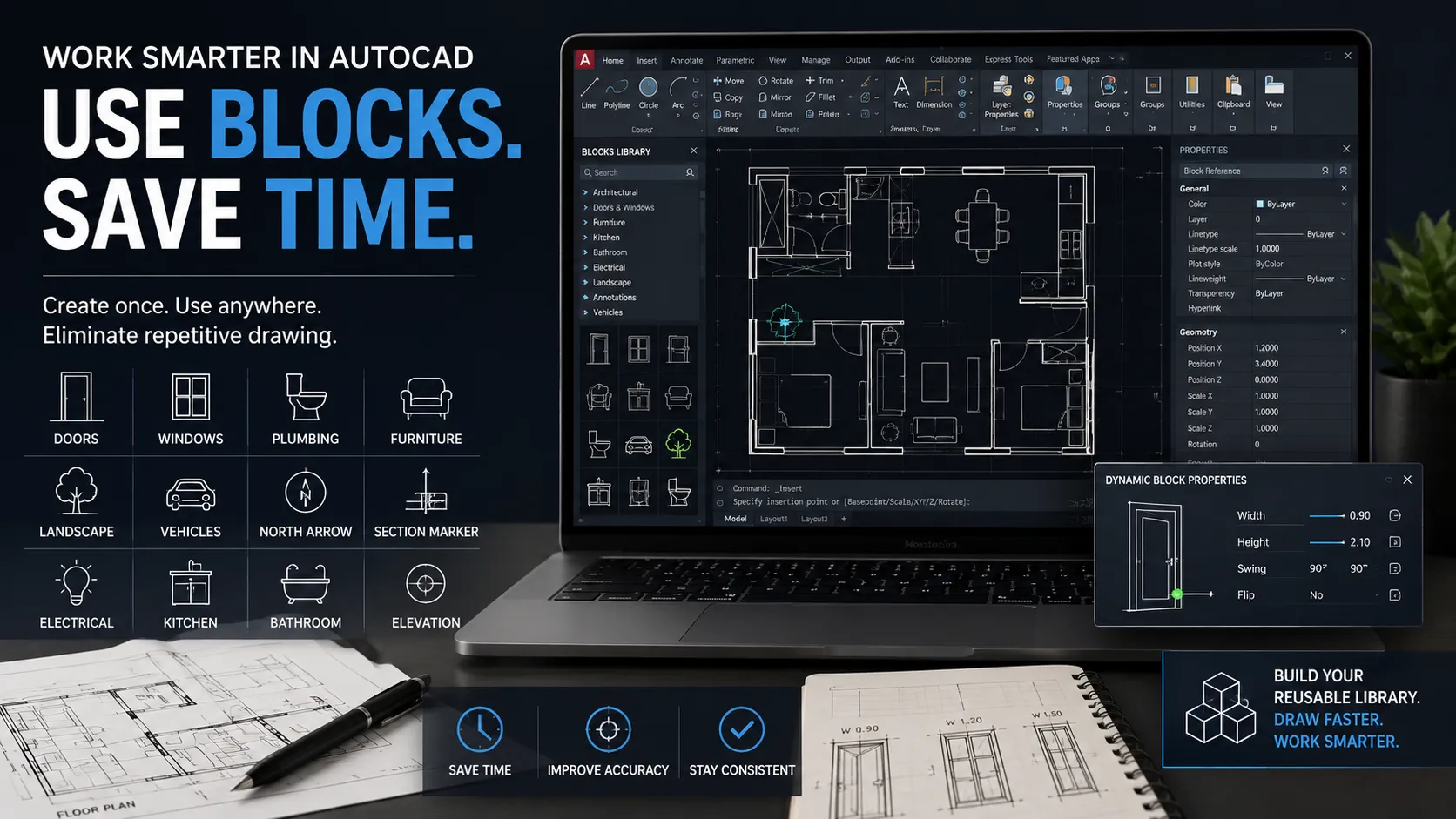
If you frequently draw the same objects, creating a reusable AutoCAD block library can save time and reduce repetitive work.
Doors, windows, furniture, plumbing fixtures, electrical symbols, and architectural annotations are excellent candidates for AutoCAD blocks.
Create reusable Blocks
An AutoCAD block allows multiple objects to become a single reusable element.
For example, instead of drawing a standard door every time, you can create a door block once and insert it wherever you need it.
The same concept can be applied to:
- Windows
- Toilets
- Sinks
- Furniture
- Trees
- Vehicles
- North arrows
- Section markers
- Elevation symbols
Use Dynamic Blocks when dimensions vary
Dynamic Blocks take this concept even further.
Instead of creating separate blocks for every variation of an object, you can create one block with parameters that allow it to change.
For example, a dynamic door block could allow you to:
- Change its width
- Flip its orientation
- Change its swing
- Stretch its geometry
A dynamic window block could allow different widths while maintaining the basic geometry of the window.
Build Your Reusable AutoCAD Block Library
Create a personal library of the objects you use most frequently.
Organize your blocks into categories such as:
- Architectural
- Doors & Windows
- Furniture
- Kitchen
- Bathroom
- Electrical
- Landscape
- Annotations
Over time, this library becomes one of your most valuable AutoCAD resources.
The real benefit is not simply drawing faster. It is eliminating repetitive drawing altogether.